Remove the background from hundreds of photos at once.
CRABOY removes the background from up to 500 images in one project, with one setting for all, in your browser. Drop a folder, choose a quality, design once, and export every file in every format you need.



Braids on pink9.5 s
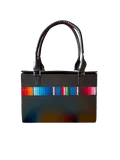
Leather on stripes8.9 s
Hair on black7.1 s
Glass and flowers7.7 s
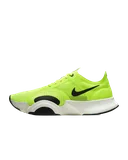
The product shot5.7 s
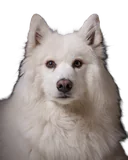
White fur on black8.3 s
Six photos, measured47.2 s
A photo, on average7.9 s
100 photos, cut and finishedabout 13 min
About 8 seconds a photo, at full Studio quality, with nothing uploaded and no queue. The hundred is worked out from the six measured above; your time depends on your graphics card and the size of your photos.
What changes at a hundred
One setting, not a hundred
Quality, edges, background and framing are one setting for the whole project. Any photo can still take its own; the rest keep following the project.
A copy is not paid for twice
Every processed image costs credits, so an import recognizes what the project already holds. An exact copy, even renamed, is left out unless you ask for it. A look-alike, the same picture resized or saved again, is added and pointed out, with the choice to take it out.
A failure does not restart the run
Images are processed one after another. Stop any time: what is finished stays finished, and failed images can be retried on their own. An image that fails within its first minute gives its credit back, up to 5 a day.
Every file the same shape
Background, canvas ratio, subject scale, alignment and padding apply to every cutout at once, and exports pad, never crop, so every file comes out the same size for a grid or a catalog. See it with six photos in Design once on the home page.
The whole folder in one export
Up to eight exports at once: PNG, WebP or JPEG, 0.5x to 4x or an exact size up to 16,384 px, named your way, sorted into folders by type and size or saved as one ZIP. Auto-trim crops transparent exports to the subject, and one switch strips EXIF, XMP and IPTC.
How to run a batch
- Drop a folder into the editor, or choose up to 500 images: JPEG, PNG, WebP, AVIF, or iPhone HEIC in Safari.
- Choose the quality. Studio for hair, fur and soft edges; Max for thin parts such as straps, stems and wires on a subject that is small in the frame.
- Design once: a transparent, solid or gradient background, a canvas ratio, the subject’s scale and alignment.
- Process all images and do something else while they run.
- Export: add the formats and sizes you need, choose folders or one ZIP, and save to a folder you choose.
Changing the background, the canvas or the exports afterwards costs nothing: they are applied to the cutouts, not computed again.
The limits
| Images in a project | Up to 500, as much as your browser’s storage holds |
|---|---|
| Photo size | Original resolution up to 58 megapixels, as far as your computer’s memory allows; a larger photo is fitted, never refused |
| Output size | Up to 16,384 px on the longest side |
| Canvas ratios | Ten, among them 1:1, 4:5, 3:4 and 16:9, or the photo’s own |
| Files in | JPEG, PNG, WebP and AVIF; iPhone HEIC in Safari |
| Files out | PNG and WebP with transparency, JPEG on a background |
What a batch costs
An image uses 1 credit in any mode, and credits never expire. A hundred photos are 100 credits; with Unlimited, every image in the period is covered and no credit is used. The prices are on the home page.
There is no free batch: the editor is paid. The home page cuts out three of your own photos a day at 1K, one at a time, so you can judge the edges first.
How this compares with remove.bg, Photoroom and Canva, batch size and resolution included, is on Why CRABOY.